Getting Started with Rampify
Rampify is the SEO intelligence layer for AI tools. You bring the AI tool; Rampify brings the project context: site structure, what's indexed, which keywords are pulling weight, what gaps competitors are leaving open.
How Rampify works#
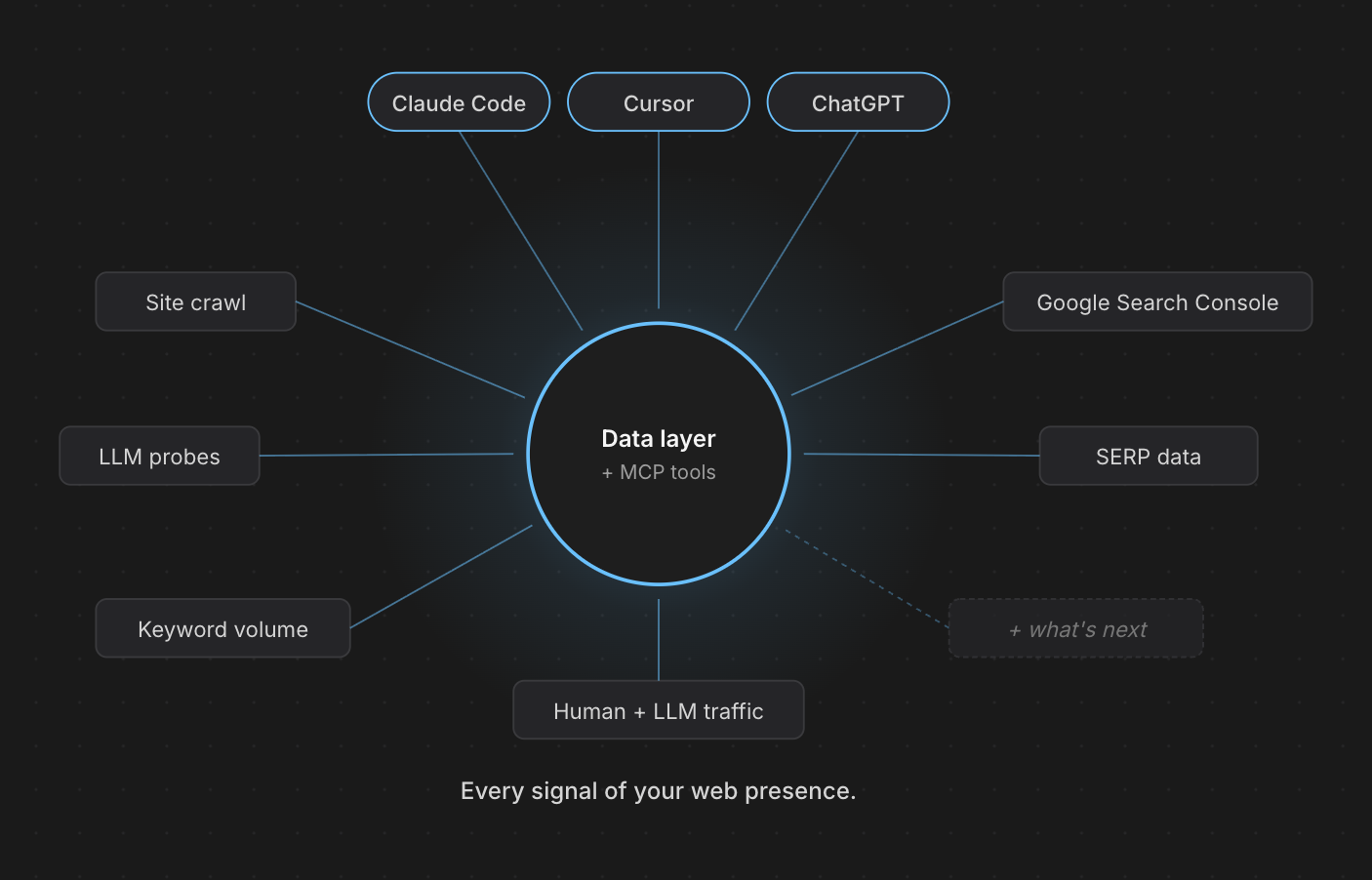
The dashboard is the system of record. It pulls signals from the sources that matter for SEO (your site's crawls and technical state, Google Search Console queries and impressions, Discovery research sessions, the keyword clusters you've built), normalizes them, and synthesizes a coherent picture of your project. The visual workspace is for you to review and steer.
The MCP server is the active surface. Every piece of that synthesized picture is queryable from Claude Code, Cursor, VS Code, Claude Desktop, or claude.ai through MCP tools. Your AI gets the same project context you see in the dashboard, in a shape it can reason over.
The choice of AI tool is yours. The choice of surface depends on what you're doing. Drafting content in a long conversation? Use claude.ai or Desktop. Implementing a spec in code? Use Claude Code or Cursor. Same Rampify either way.
Quick start#
Lands you straight in a setup wizard. Under 3 minutes.
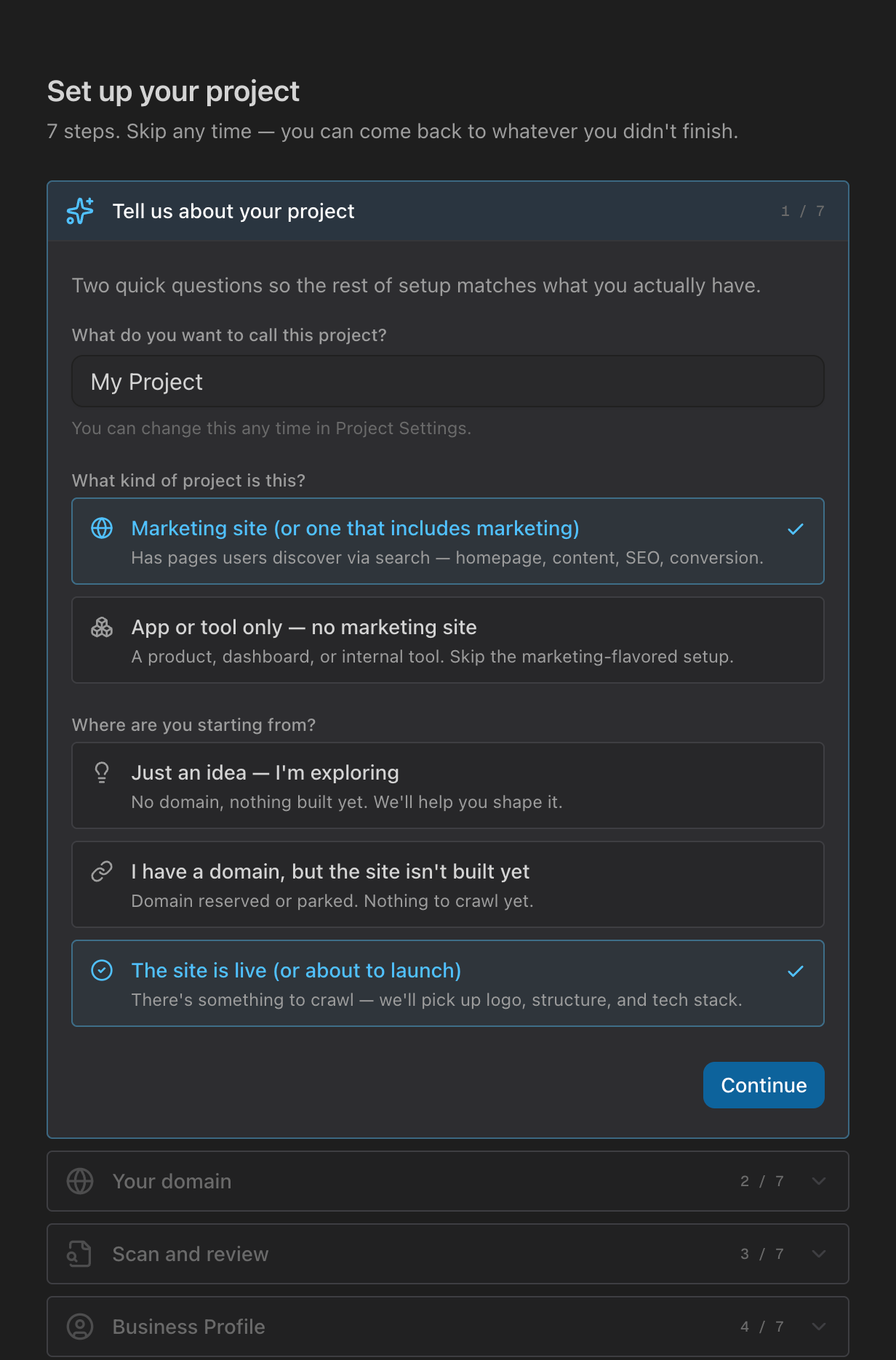
The wizard's first question, marketing site or app, sets the path for everything that follows. It adapts to where you're starting:
| Where you're starting | What the wizard does |
|---|---|
| Just an idea | Opens a long-form brainstorm with Claude in claude.ai or Desktop about positioning, audience, and differentiators. Captures what's solid as the conversation goes. |
| Domain reserved, nothing built | Captures the domain and scaffolds the workspace for what you're about to build. |
| Site is live | Crawls the site, surfaces SEO issues, and files feature specs your AI coding tool (Claude Code, Cursor, VS Code) can implement. |
The wizard ends on a stage-appropriate menu of first actions: Discovery research, keyword planning, content drafting, or a technical audit, depending on what fits your project.
The wizard's last step (and every project page) has a one-click install picker. Pick the tool you use; Rampify handles the auth via OAuth on first connect.
↓ Try it. Fully interactive, same picker as in the app.
claude mcp add --transport http Rampify https://www.rampify.dev/api/mcpList my projects in RampifyConfirms the connection and shows which project is active
Crawl my websiteFull-site scan — discovers URLs, records metadata, files spec for any issues found
Suggest keyword clusters for my siteGroups keywords into content briefs grounded in your business profile
Full setup details and the Claude UI walkthrough live in the Connecting guide.
Once connected, Rampify pulls indexing data and weekly performance signals. The MCP get_search_performance tool gives your AI direct access to query data, top pages, and ranking-opportunity queries. Catch indexing problems early; turn search data into content briefs.
Not sure what to do first? Ask your AI: What should I do next on this project? It calls suggest_next_action with your project's current state.
What you can do#
A few common workflows that span both surfaces:
| Workflow | Where it happens | What you get |
|---|---|---|
| Discover positioning gaps and competitor angles | claude.ai, Claude Desktop | A structured research output from a multi-step conversation |
| Cluster keywords into content briefs | claude.ai, Claude Desktop | Content briefs grounded in your business profile |
| Crawl your site for SEO issues | Triggered from any AI tool | Feature specs filed for Cursor or Claude Code to implement |
| Generate meta tags and JSON-LD schema | Any AI tool | Ready-to-paste tags for a page you're shipping |
| Pull GSC insights and content recommendations | Any AI tool | Query-level performance data ready to inform what to write next |
The split isn't rigid. A developer planning content can use claude.ai for the long thinking, then Cursor for the implementation. A marketer drafting a brief can stay in Claude Desktop the whole time. Rampify follows you across surfaces because every tool is exposed via MCP.